

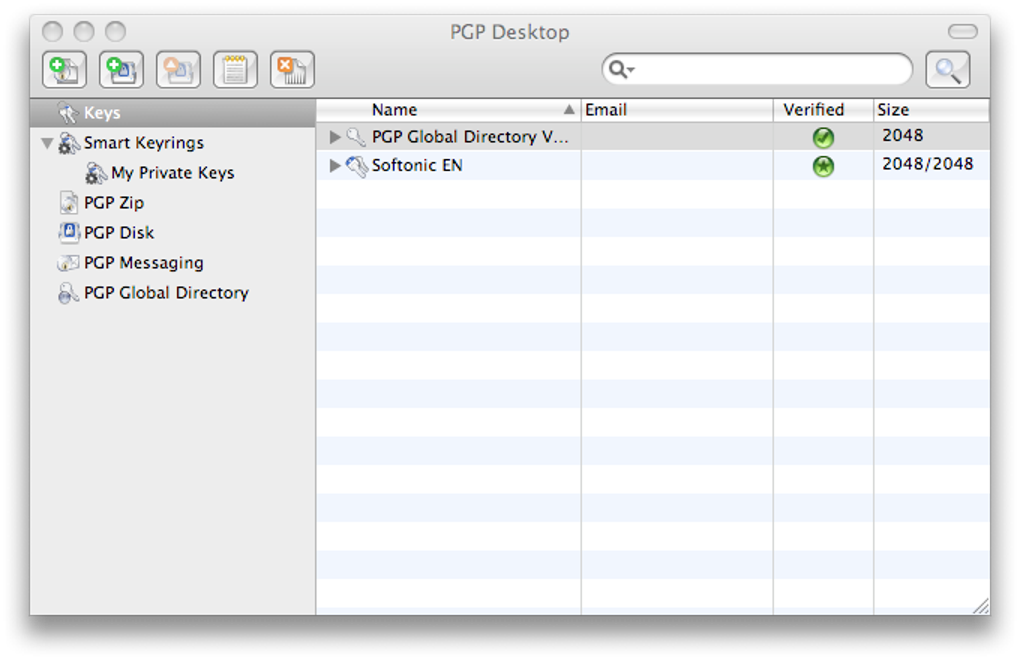
Description
Download PGP Desktop – Secure Email & File Encryption Tool
Overview
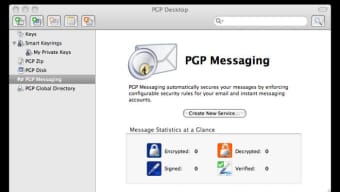
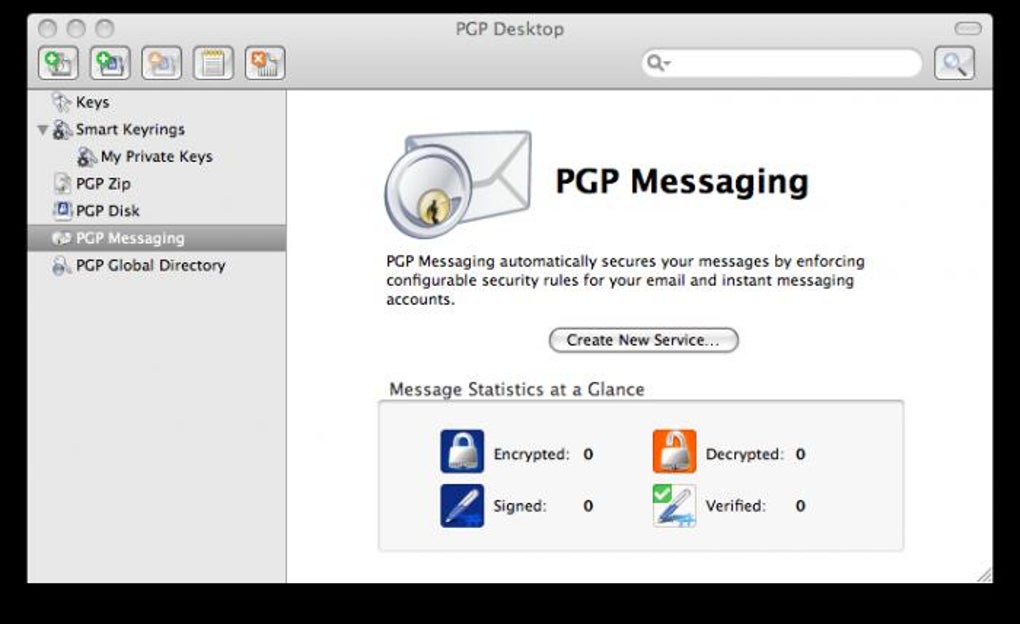
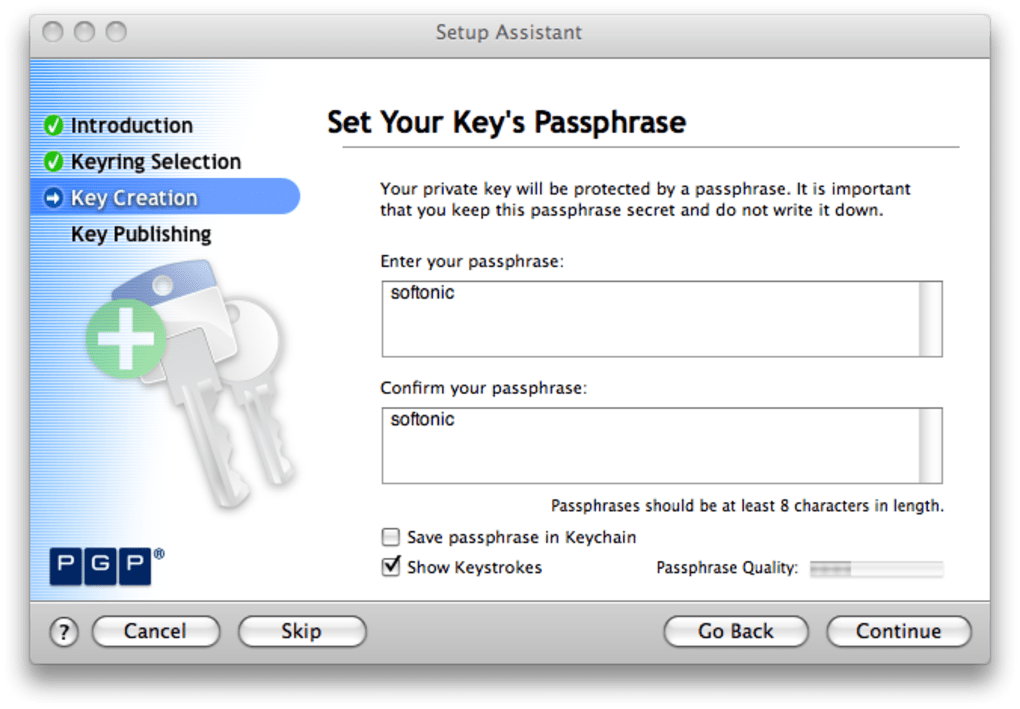
PGP Desktop is a robust, enterprise‑grade encryption suite that lets individuals and organizations protect email communications and files with industry‑standard OpenPGP cryptography. Built by the veterans behind the original Pretty Good Privacy (PGP) technology, the desktop client offers a clean, drag‑and‑drop interface for creating, managing, and using encryption keys. Whether you need to encrypt a single confidential document, protect a folder of sensitive files, or secure outbound email, PGP Desktop consolidates all of those tasks into one application that runs on Windows, macOS, and Linux. The software emphasizes security without sacrificing usability: key generation is guided by a wizard that prompts for a passphrase, email address, and optional user settings, while the core encryption workflow remains as simple as selecting a file and dropping it onto the PGP Desktop window. For enterprises, the product integrates with PGP Universal Server, enabling centralized key management, policy enforcement, and audit logging. Recent updates have fixed several macOS boot‑loader issues, improved key enrollment reliability, and refined handling of missing authentication cookies, making the tool more stable for cross‑platform deployments. In short, PGP Desktop provides a “set‑it‑and‑forget‑it” experience for users who demand strong, compliant encryption without needing a deep cryptographic background.
Key Features
- Full OpenPGP support – encrypt, decrypt, sign, and verify using industry‑standard algorithms.
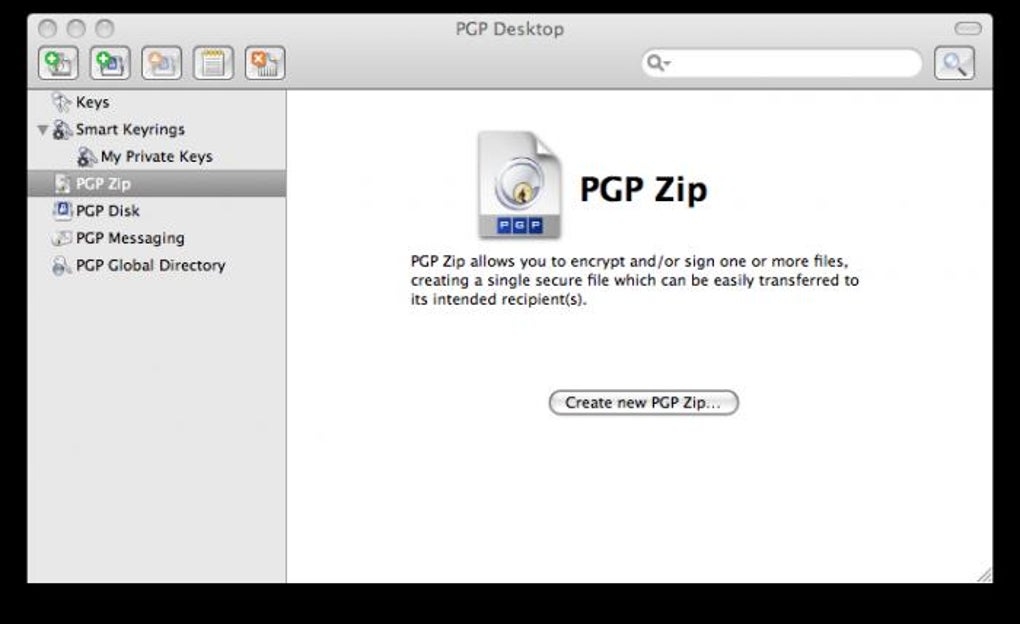
- Drag‑and‑drop encryption – simply drop files onto the interface to create encrypted ZIP archives.
- Integrated email encryption – seamless plug‑in for Outlook, Thunderbird, and Apple Mail.
- Centralized key management – optional connection to PGP Universal Server for enterprise policy control.
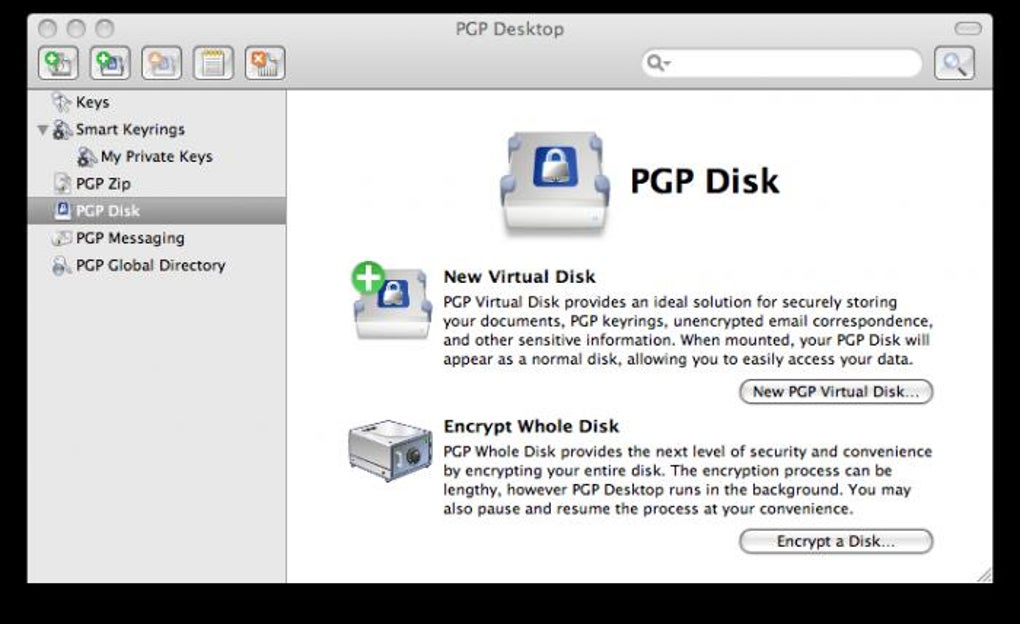
- Encrypted virtual disk – create secure containers that behave like regular drives.
- Comprehensive activity log – audit all encryption and decryption events for compliance reporting.
- Cross‑platform compatibility – native clients for Windows, macOS, and Linux.
- Automatic updates – keep the cryptographic engine and security patches current.
- Multi‑language support – UI available in English, German, French, Spanish, and more.
- Enterprise‑ready licensing – volume discounts, centralized deployment, and support contracts.
Installation & Usage Instructions
Installing PGP Desktop begins with a standard installer package for your operating system. On Windows, run the .exe file and follow the wizard, accepting the license agreement and choosing an installation directory (the default is C:\Program Files\PGP Desktop). macOS users download a .dmg image, drag the application to the /Applications folder, and then launch the app to trigger the initial key‑generation workflow. Linux distributions provide a .deb or .rpm package that can be installed via the system’s package manager (e.g., sudo dpkg -i pgp‑desktop.deb).
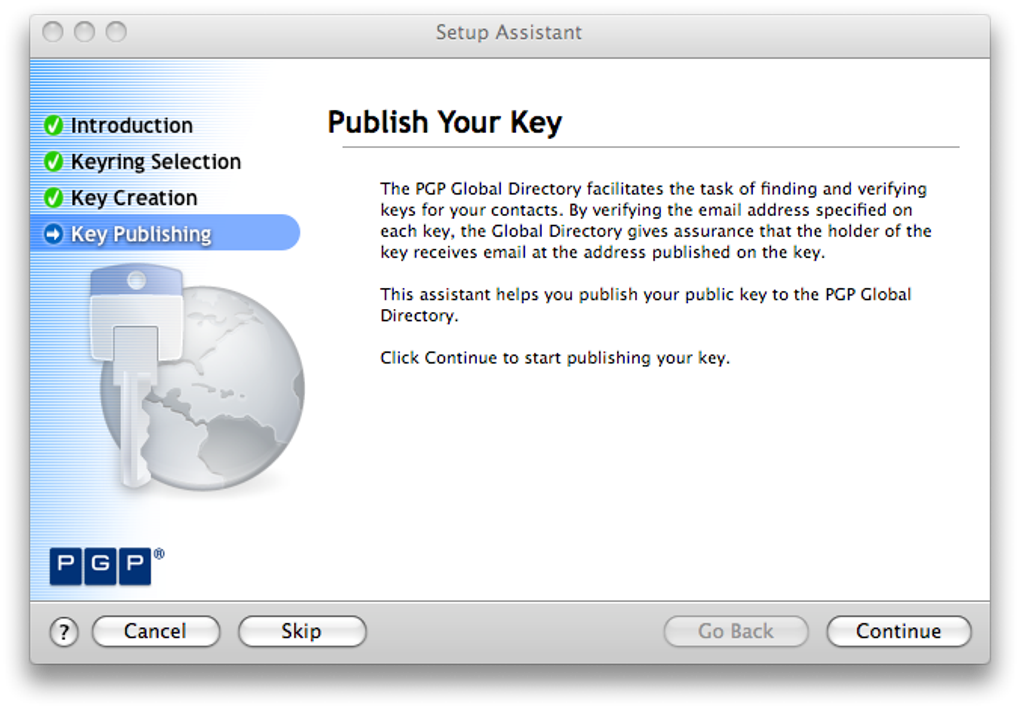
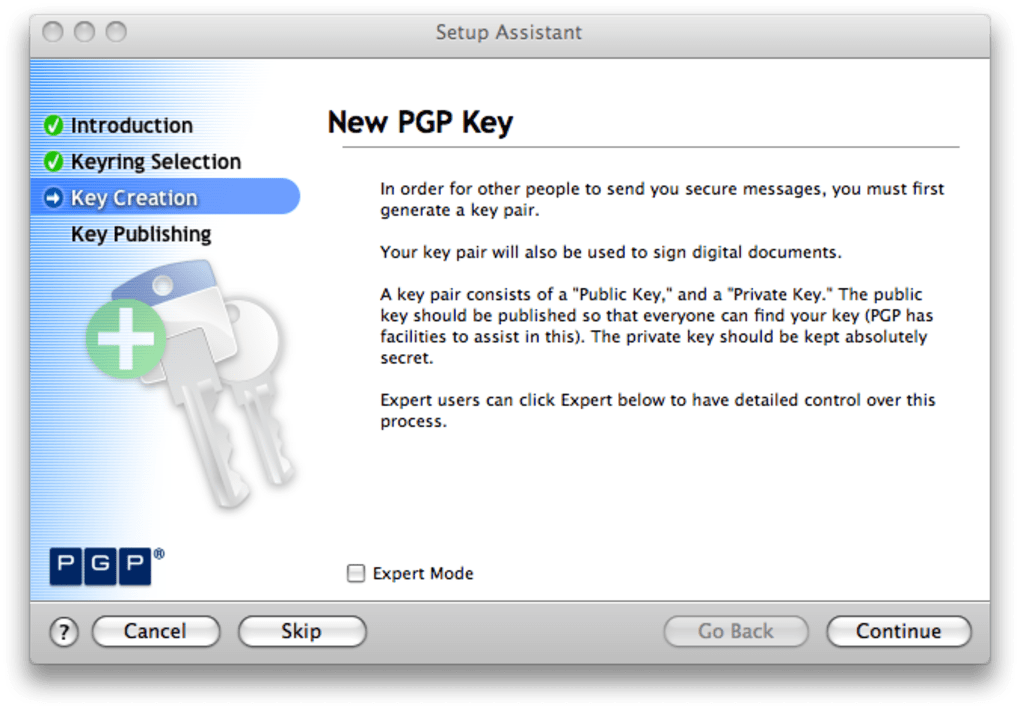
The first launch prompts you to create a new key pair. You’ll be asked to enter a strong passphrase (minimum 12 characters, mixed case, numbers, and symbols), your email address, and optional user ID information. Once the key is generated, it appears in the “My Keys” pane along with its fingerprint and expiration date. To encrypt a file, simply drag it onto the main window; PGP Desktop automatically creates an encrypted ZIP archive, adds a .pgp extension, and stores the result in the same folder (or a location you specify). For email encryption, enable the plug‑in for your mail client during setup; the add‑on inserts a “PGP Encrypt” button that automatically signs and encrypts outgoing messages using the selected key.
Decryption follows the reverse process: drop the encrypted file onto the interface, enter your passphrase if prompted, and PGP Desktop extracts the original content. The activity log, accessible from the “Logs” tab, records timestamps, file names, and the user who performed each operation—valuable for audits and troubleshooting. For administrators, the “Server Sync” option lets you link the client to a PGP Universal Server, synchronizing keys, policies, and revocation lists across the organization. Regular updates are delivered through an integrated updater; you can schedule them to run nightly to ensure you always have the latest security patches.
Compatibility, Pros & Cons, and Frequently Asked Questions
Operating System Compatibility
PGP Desktop runs natively on Windows 10/11 (64‑bit), macOS 10.14 and later, and popular Linux distributions such as Ubuntu, Debian, Fedora, and CentOS. The macOS version supports both Intel and Apple Silicon (M1/M2) architectures, with a universal binary that automatically selects the appropriate code path. For enterprise environments, the software can be deployed via Group Policy (Windows) or Apple Remote Desktop (macOS) to streamline mass installations.
Pros
- Strong OpenPGP encryption that meets compliance standards (e.g., GDPR, HIPAA).
- Intuitive drag‑and‑drop workflow reduces the learning curve.
- Comprehensive key management and audit logging for enterprise use.
- Cross‑platform support ensures consistent security across devices.
- Regular automatic updates keep cryptographic libraries current.
Cons
- Initial installation is relatively lengthy due to key generation and configuration steps.
- Advanced features (server integration, encrypted disks) may be overkill for casual users.
- No free tier; licensing is per‑seat, which can be costly for small teams.
- Command‑line interface is limited compared to dedicated Linux tools.
- Occasional UI latency when handling very large files (over 2 GB).
FAQ
Is PGP Desktop compatible with Outlook and Gmail?
Yes. PGP Desktop includes plug‑ins for Microsoft Outlook (both Windows and macOS versions) and can be used with Gmail through browser extensions that invoke the desktop client. The integration adds “Encrypt” and “Sign” buttons directly within the email composer.
Can I recover a lost passphrase?
No. For security reasons, PGP Desktop does not store passphrases. If you lose your passphrase, you must generate a new key pair and re‑encrypt any data you wish to keep secure.
Does PGP Desktop support encrypted virtual drives?
Yes. The “Encrypted Disk” feature lets you create a virtual drive that encrypts all data on the fly. It works similarly to TrueCrypt/VeraCrypt but is managed directly from the PGP Desktop interface.
What is the licensing model?
PGP Desktop is sold per user seat with optional volume discounts for enterprises. A perpetual license includes one year of support and updates; renewal extends the support period.
Is there a trial version available?
Yes. Symantec offers a 30‑day free trial that provides full functionality, allowing you to test key management, email encryption, and file protection before purchasing.
Conclusion & Call to Action
PGP Desktop Review – After evaluating the feature set, ease of use, and cross‑platform support, it’s clear that PGP Desktop delivers a professional‑grade encryption experience that meets both individual and enterprise requirements. While the initial setup may feel involved, the long‑term security benefits and audit capabilities outweigh the modest learning curve. If you handle sensitive data daily—whether in legal, healthcare, finance, or software development—investing in PGP Desktop ensures your communications and files remain confidential and tamper‑proof. Download PGP Desktop today to start protecting your information with a proven, secure solution.
Guides & Tutorials for PGP Desktop
How to install PGP Desktop
- Click the Preview / Download button above.
- Once redirected, accept the terms and click Install.
- Wait for the PGP Desktop download to finish on your device.
How to use PGP Desktop
This software is primarily used for its core features described above. Open the app after installation to explore its capabilities.
User Reviews for PGP Desktop 0
No reviews found





.webp)